
Video creation today is a mess.
Too many tools.
Too many subscriptions.
Too much time wasted just trying to record a simple video.
If you’ve ever paid monthly for Loom, Camtasia, or random AI video tools that looked good on the sales page but barely got used, you’re not alone.
This SnapNinja AI 2.0 review breaks everything down clearly—what it does, what it replaces, who it’s for, and which upgrades are actually worth your money. No fluff. No guru promises. Just real analysis so you can decide fast and move on.
If your goal is to create videos faster, cheaper, and with less tech stress, you’re in the right place.
SnapNinja AI 2.0 Overview
| Product Name | SnapNinja AI 2.0 |
| Product Creator | Abhijit Saha |
| Launch Date | 2025-Dec-20 |
| Product Type | Software |
| Product Price | $15 (One-Time Price) |
| Coupon Code | “ SNAPVIP3 ” ==> $3 Off “ SNAPNINJA ” ==> 30% Off |
| Launch Time | 11:00 EST |
| Bonuses | Yes |
| Official Website | Visit Official Page ↗ |
✓Includes my exclusive bonuses – limited time
What Is SnapNinja AI 2.0?
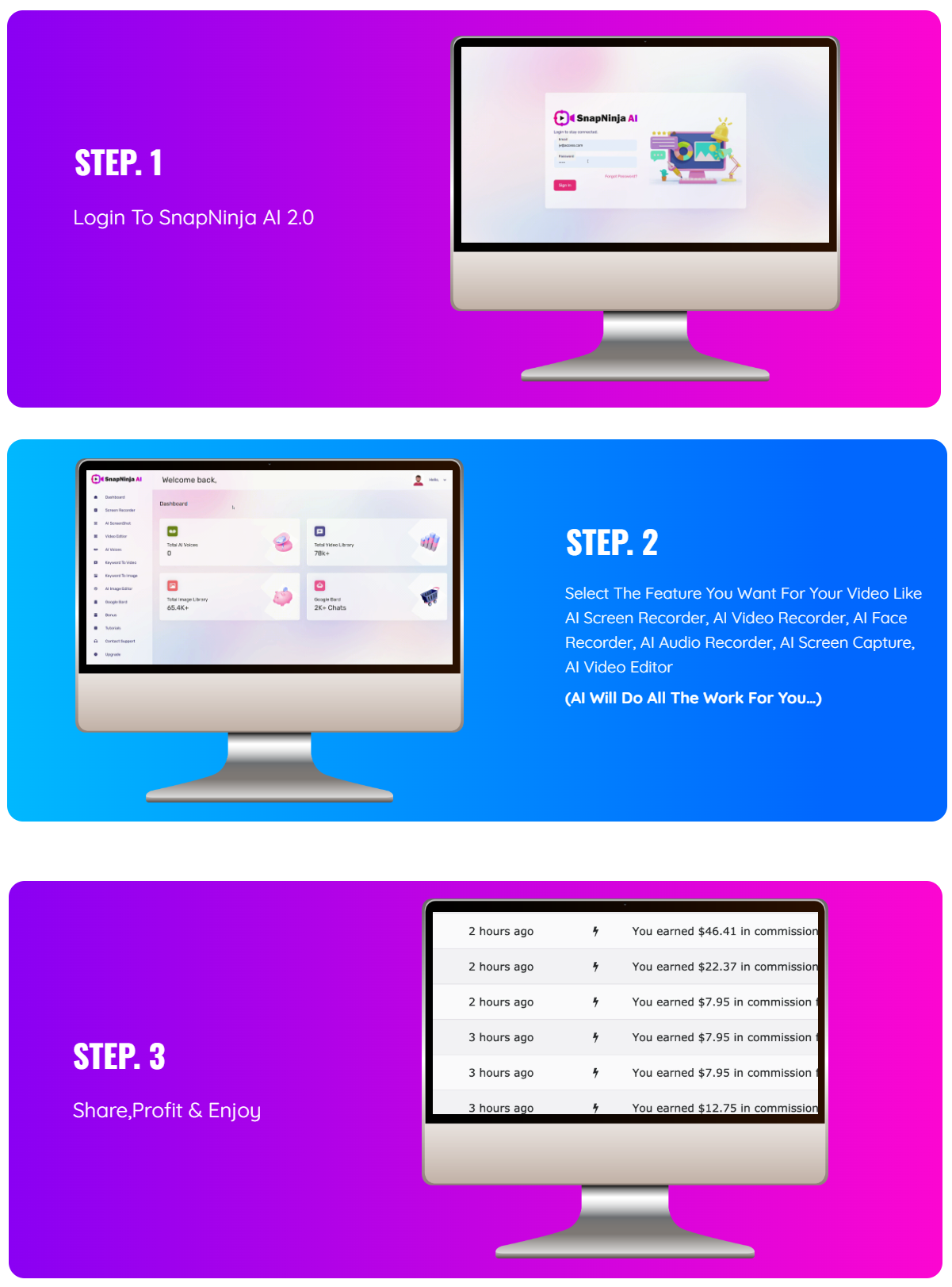
SnapNinja AI 2.0 is a browser-based all-in-one video creation platform that lets you record screens, webcams, audio, and create simple edited videos using AI-assisted tools—without installing software or paying monthly fees.
It’s built for:
- Marketers
- Content creators
- Freelancers
- Agencies
- Beginners who hate complicated tools
The promise is simple: replace multiple video tools with one dashboard at a one-time price.
Who SnapNinja AI 2.0 Is Best For (And Who Should Skip It)
Best For
- Affiliate marketers creating reviews or demos
- YouTubers and faceless channel owners
- Coaches recording training or walkthroughs
- Freelancers offering simple video services
- Anyone tired of monthly video software bills
Not Ideal For
- Advanced motion designers
- High-end video production studios
- Users expecting “push-button income”
- People who already live inside Premiere Pro or After Effects
This is a speed and simplicity tool, not a Hollywood editor.
Core Features Inside SnapNinja AI 2.0 (Front End – $17)
This is what you get with the base version.
Screen & Video Recording
- Browser-based recording (Chrome & Firefox)
- Screen + face + audio recording
- YouTube-ready video dimensions
- Unlimited recordings
- No watermark
- No downloads or installs
Editing & Publishing Tools
- Trim, cut, rotate, resize videos
- Add text, shapes, emojis, and drawings
- Create GIFs from videos
- Publish to 20+ platforms
- Schedule videos ahead of time
Commercial License
You can sell videos to clients without restrictions.
Real-world use case:
I recorded a 6-minute walkthrough, trimmed it, resized it for Shorts, and exported it in under 10 minutes—no software install, no learning curve.
That’s where this tool wins.
Ready to Unlock Everything Inside This Bundle?
SnapNinja AI 2.0 Pricing: One-Time or Monthly?
- Front End Price: $17 one-time
- Monthly Fees: None
- Commercial Rights: Included
At this price, the real decision isn’t the front end.
It’s which upgrades actually make sense for you.
SnapNinja AI 2.0 Funnel & OTO Breakdown
This is where most reviews fail.
So let’s do it properly.
OTO 1: Premium Edition ($47)
This upgrade turns SnapNinja from a recorder into a content engine.
What You Unlock
- AI human-like voiceovers
- Auto caption generator
- 500+ done-for-you templates
- DFY VSL templates and scripts
- AI Shorts, Reels, and meme creators
- Faceless video creator
- Thumbnail creator
- Content repurposing tools
Who This Is For
- Faceless content creators
- Shorts/Reels marketers
- People who value speed over manual work
Verdict:
This is the best value upgrade for most users.
OTO 2: Unlimited Edition ($67)
This removes all limits.
What Changes
- Unlimited video creation
- Unlimited voiceovers
- Unlimited captions
- Unlimited templates
- Unlimited exports
- Priority support
Who Should Get It
- Daily content creators
- Freelancers
- Agencies
- Anyone offering video services
Verdict:
If you’re serious, this is the version you’ll end up using anyway.
OTO 3: Audiobook Edition ($97)
This is a separate publishing tool.
What It Does
- Converts blogs, PDFs, URLs, and articles into:
- eBooks
- Flipbooks
- Simple websites
Best For
- Info product creators
- Bloggers
- PLR users
Verdict:
Useful, but optional. Not required for video creation.
OTO 4: Done-For-You Edition ($97)
This is the hands-off setup option.
What They Offer
- Account setup
- Content creation
- Traffic and lead generation
Reality Check
This is about convenience, not guaranteed income.
Results depend on niche, offer, and expectations.
Verdict:
Only for users who want help setting things up and understand the limits.
OTO 5: Visual Edition ($47)
This is a stock media library.
What You Get
- Millions of stock images
- Stock videos and GIFs
- Icons, vectors, and illustrations
- 4K assets
- Commercial rights
Best For
- Designers
- Social media agencies
- Video editors who need assets often
OTO 6: Agency Edition ($97–$197)
This turns SnapNinja into a client-based business.
Agency Features
- Create sub-accounts for clients
- Custom branding and logos
- Charge monthly or yearly fees
- Agency dashboard
Best For
- Freelancers
- Agencies
- Service providers
This is where real long-term money can happen—if you already know how to get clients.
OTO 7: Reseller Edition ($67–$97)
- Resell SnapNinja AI 2.0
- Keep all revenue
Best suited for email marketers and launch promoters.
OTO 8: Whitelabel Edition ($297)
This is full ownership mode.
What You Get
- Whitelabel code
- Install on your own server
- Full branding control
- Unlimited users
- Your pricing model
Not beginner friendly.
Only makes sense for advanced marketers or SaaS builders.
Recommended Buying Paths
Advanced SaaS Builder: Whitelabel only if experienced
Beginner: Front End + OTO 1
Creator / Marketer: Front End + OTO 2
Agency / Freelancer: Front End + OTO 2 + OTO 6
Ready to Get Instant Access to SnapNinja AI 2.0
✓Backed by a 30-Day Money-Back Guarantee
Pros and Cons (Honest)
Pros
- One-time pricing
- Beginner friendly
- All-in-one workflow
- Commercial license included
- No installs
Cons
- Some upgrades overlap
- Not for advanced motion graphics
- AI assists, it doesn’t replace creativity
FAQs (People Also Ask)
Is SnapNinja AI 2.0 beginner friendly?
Yes. No tech or editing experience needed.
Does it replace Loom or Camtasia?
For most users, yes—especially if you want no monthly fees.
Is there any monthly cost?
No. One-time payment only.
Which OTO is worth buying?
OTO 1 for speed. OTO 2 for serious use.
Can I use it for client work?
Yes. Commercial license is included.
Final Verdict: Is SnapNinja AI 2.0 Worth It?
SnapNinja AI 2.0 is not magic.
It won’t make you money by itself.
But as a time-saving, one-time-price video tool, it does its job well.
If you:
- Create videos regularly
- Hate subscriptions
- Want simplicity over complexity
Then SnapNinja AI 2.0 is a smart, low-risk buy—especially if you choose the right upgrade for your goals.
If you want a simple video tool that removes friction and saves time, SnapNinja AI 2.0 is worth grabbing while the one-time pricing is still available.
Get SnapNinja AI 2.0 + $43k+ in Exclusive Bonuses
✓ Instant Access + All Bonuses Included
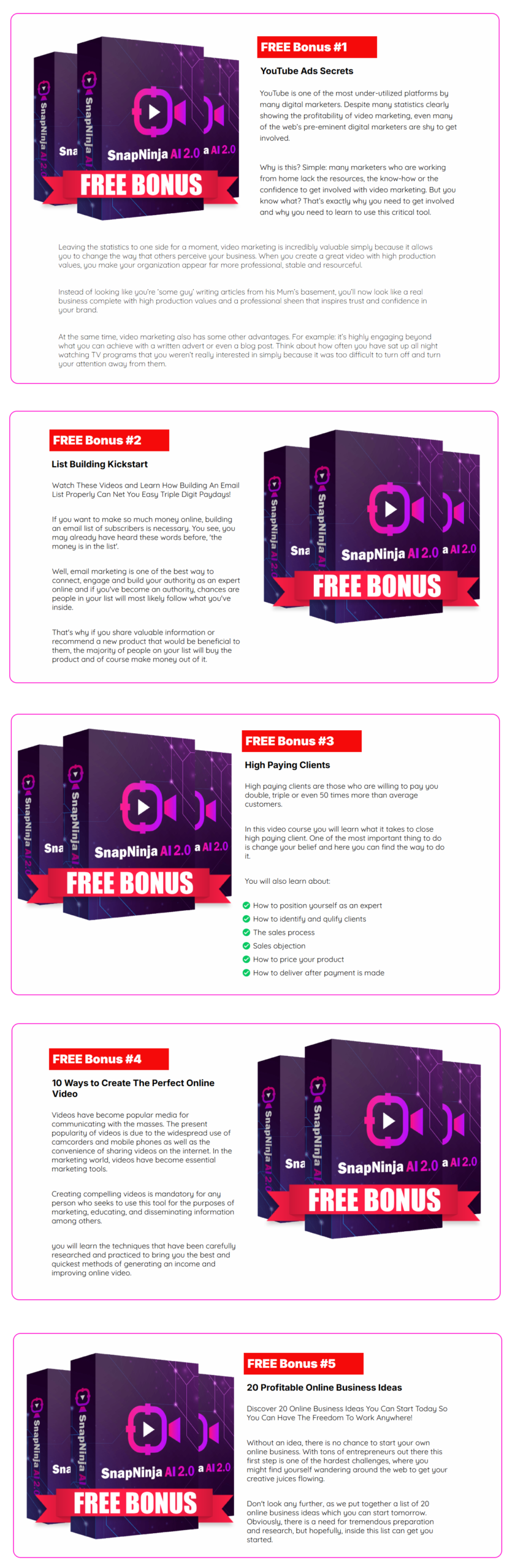
Moreover, If you purchase at least 1 SnapNinja AI 2.0 OTO/Upsell, you will get additional bonus packages mentioned here
In addition to the fantastic bonuses featured on the sales, you’ll also receive my exclusive bonus package valued at over $10k. Trust me, this bonus package is designed to not only save you valuable time and money but also enhance the quality of your life!
How to claim these additional bonuses by effectively completing the following trio of steps:
- Step 1: Buy the SnapNinja AI 2.0 on my website
- Step 2: After Completing the transaction, forward your receipt to support@testedapps.com so, I can use this information to validate your purchase.
- Step 3:You will receive the bonuses within 24 hours.
Thank you so much😊 for reading my SnapNinja AI 2.0 Review!